Start your company
Choose a company address and confirm your email. Your private workspace is created, and the first admin sets a password.
Explore paraLMD features
From the first Lead to a paid Invoice, paraLMD gives your team one clear place to manage people, accounts, sales work, and follow-ups. Explore the tools inside each company workspace.
✓ Two seats included · Your own company space · A shared view for your team

The complete customer picture
Contacts should not live in one list while Deals, follow-ups, Quotes, and Invoices sit somewhere else. paraLMD brings that work together so your team can see the relationship, understand the progress, and decide what happens next.
Everything at a glance
See the modules and tools available in your company workspace. The sections below show how they work together.
Leads · Accounts · Contacts
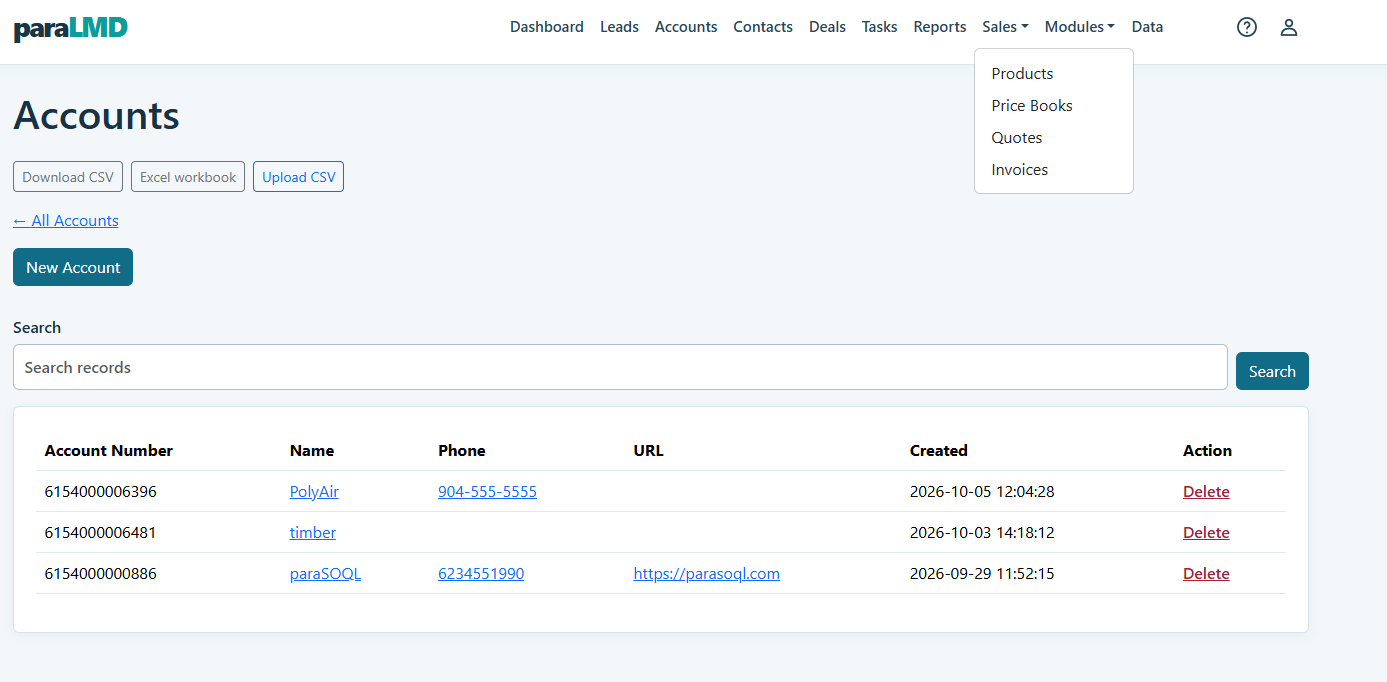
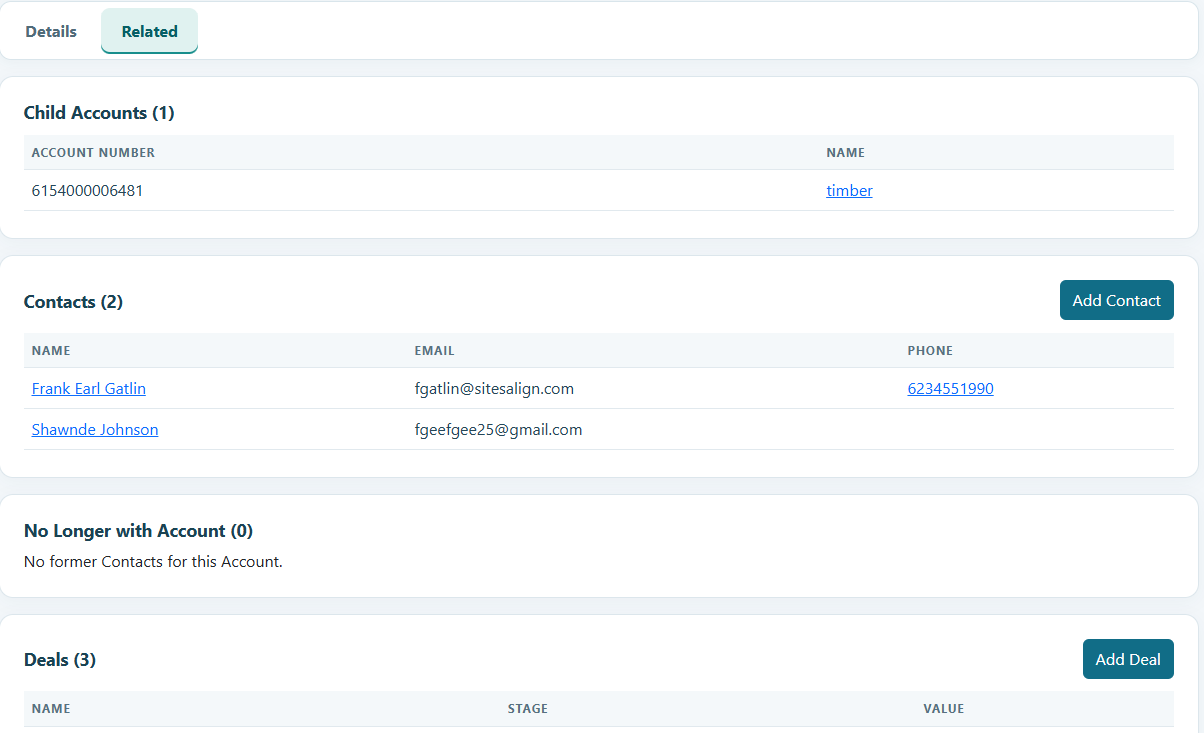
Capture a Lead with the company name, contact details, status, and source. When it is ready, convert it into connected Account and Contact records, with an optional Deal. Keep billing and shipping addresses, website, phone, unique account number, and parent Account together on the Account record.
Open a Contact to see its Account and related Deals. If that person leaves the company, mark the Contact as No Longer with Account. Their record remains available for history, while the person is excluded from Quote and Invoice recipient choices. Search module lists and open each record for its Details and Related views.
Deals · Activities · Tasks
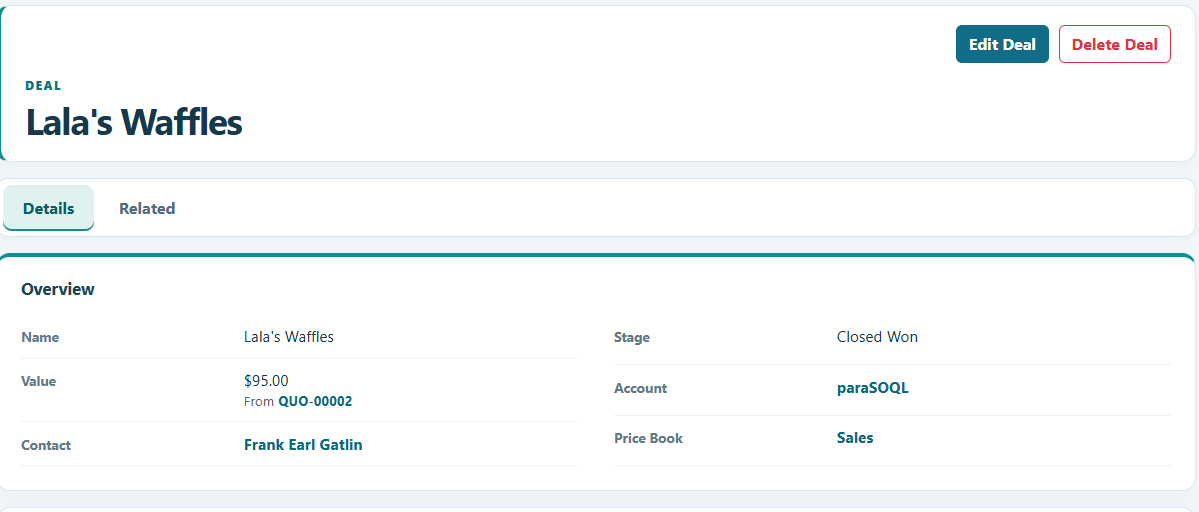
Track Deals through Prospecting, Qualification, Quote, Closed Won, and Closed Lost. Connect a Deal to an Account and a Contact, and see related Quotes from the Deal. When a current Quote changes, the Deal value follows it so your pipeline reflects the quoted amount.
Log Activities to keep the conversation close to the record. Create follow-up Tasks, then see the related module and record name on the task list. Open a task by its title when it is time to act. Your team works from a shared company view while each person has the access the company admin assigns.
Products · Price Books · Quotes · Invoices
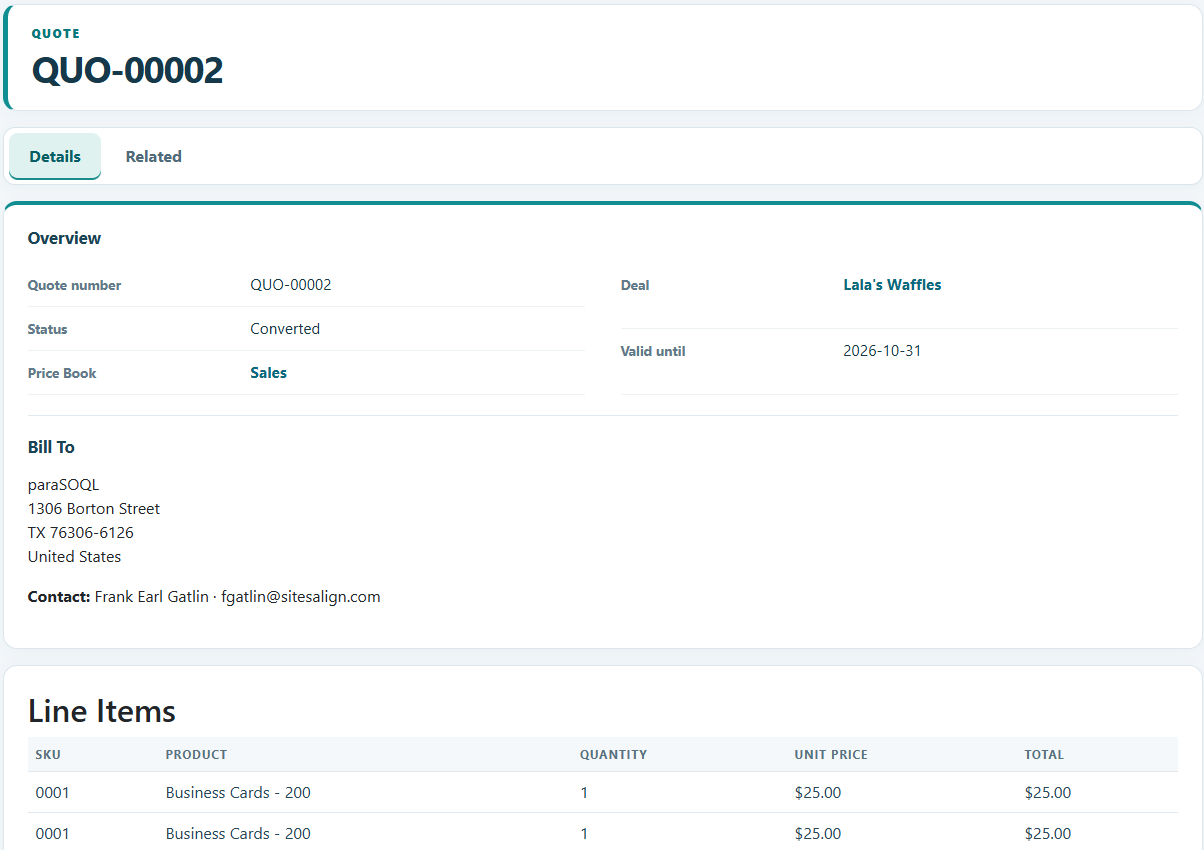
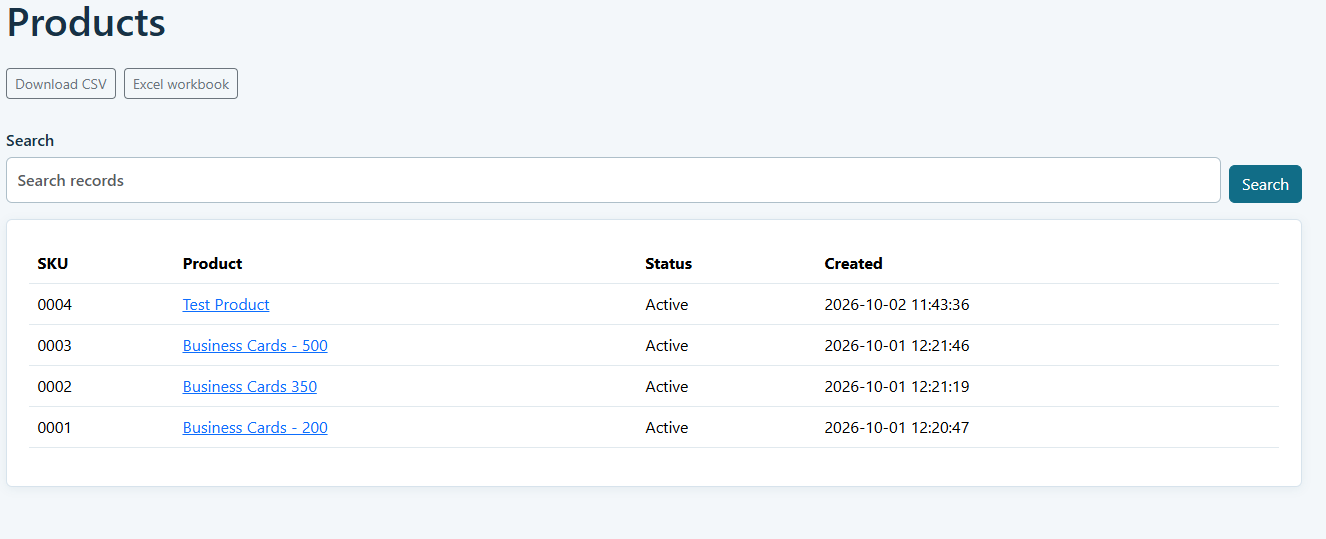
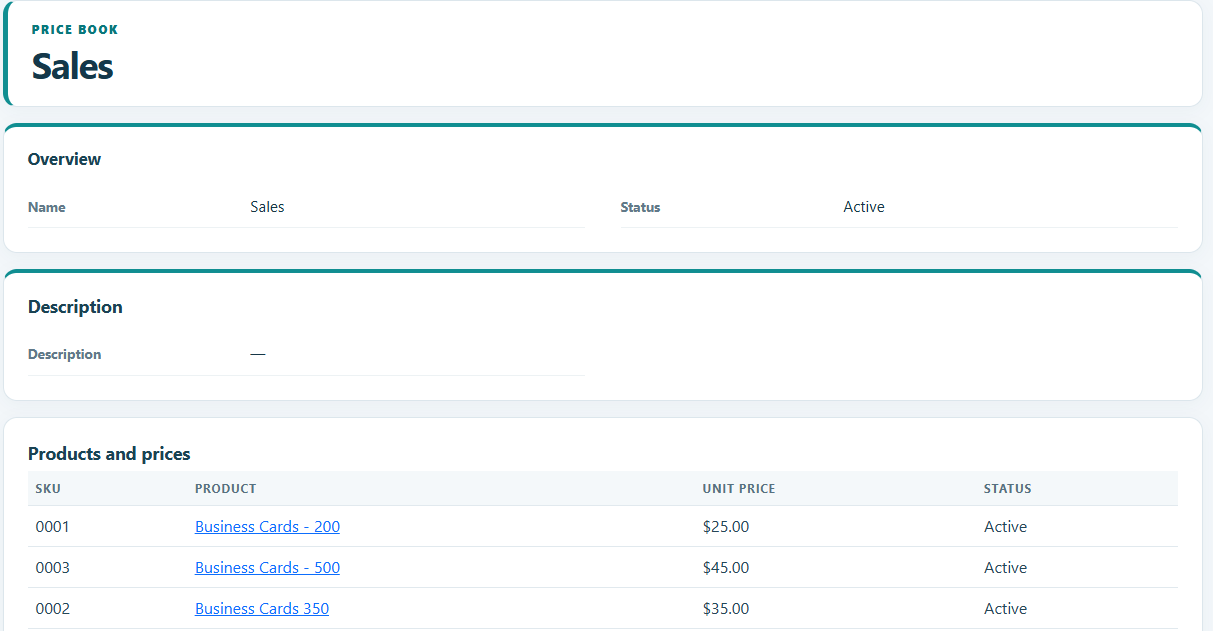
Organize Products and prices, then build a Quote from a Deal. Choose the specific Contact who should receive it, even when an Account has many people. The Contact receives a nicely formatted email with a private link to view the Quote online and download its PDF.
Convert the Quote to an Invoice and send it to the right Contact with its own private viewing link. A company admin can connect the company’s Stripe account to collect invoice payments. The Invoice is marked paid after Stripe confirms the payment. Invoice payments and paraLMD seat billing use separate Stripe connections.
Your team · Your workspace
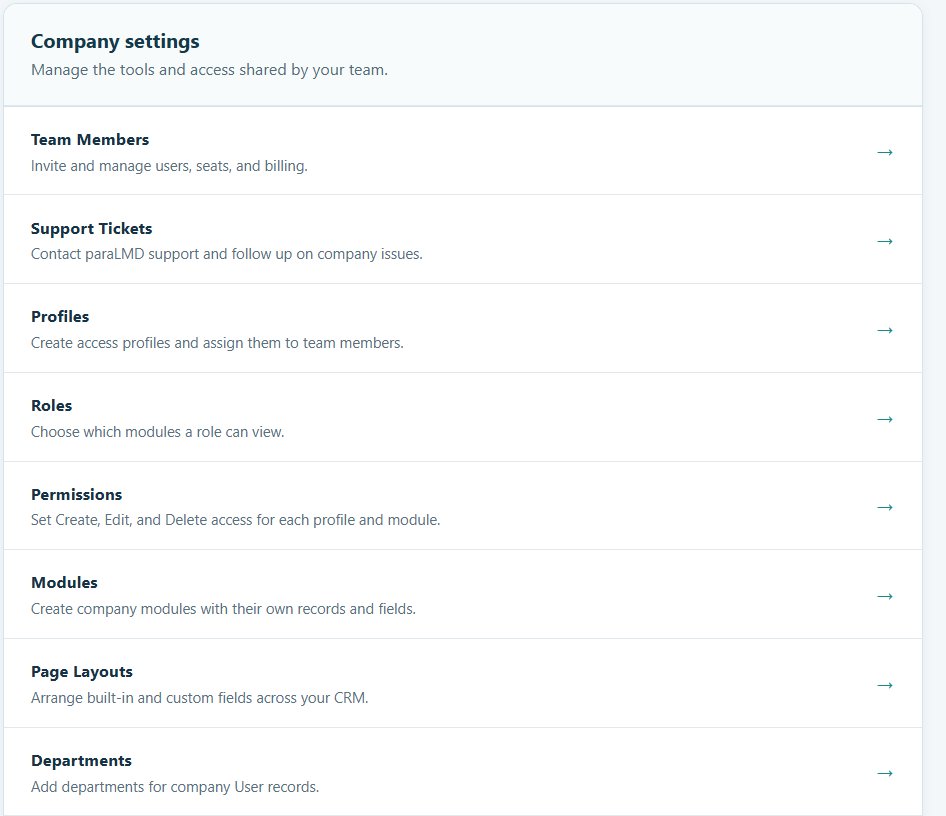
Each company has its own subdomain and database. Company admins invite users, assign Profiles for actions such as Create, Edit, Delete, upload, and download, and assign Roles that determine which modules a user can see. Team members work in the same company space, with access suited to their work.
Admins can add custom modules and fields such as drop-downs, dates, currencies, URLs, lookups, and user references. Place fields in named one- or two-column sections and rearrange built-in and custom fields in the Page Layout editor. Departments and regions help organize user profiles, and the Support icon opens a ticket when an admin needs help.
Reports · Search · Data
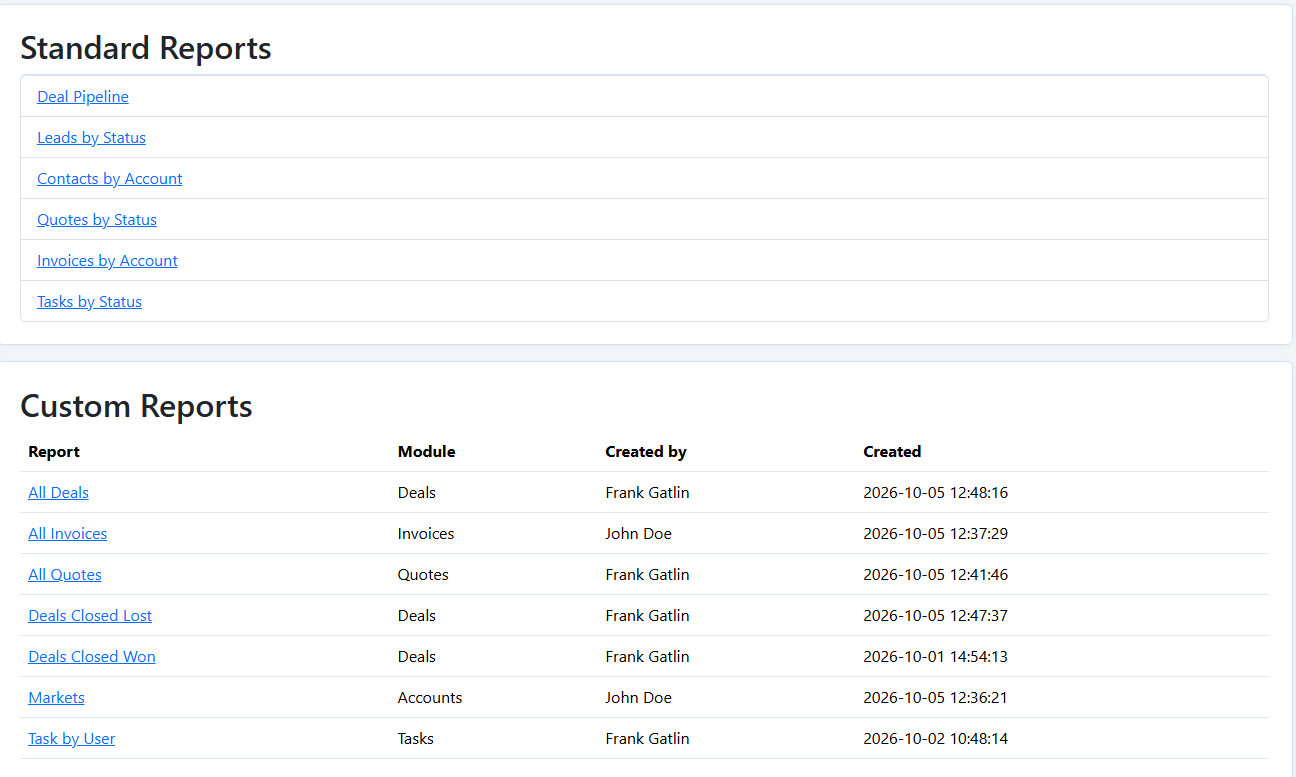
Search across module lists to find the record you need. Review standard reporting, including the Deal pipeline, and create custom reports for the questions your company asks most often. Company admins create and edit reports; users with access can view them.
Move data through CSV and Excel workflows. Public record IDs make it possible to export records, edit a saved file, and upload changes to matching records. Upload and download are separate profile permissions, so an admin can allow a user to export data without granting import access.
How it works
Choose a company address and confirm your email. Your private workspace is created, and the first admin sets a password.
Create or import Leads, Accounts, and Contacts. Connect people to the right company and keep context together.
Track Deals, log Activities, add Tasks, and stay close to every follow-up.
Send a Quote to the right Contact, turn it into an Invoice, and use reports to see what is working.
Simple pricing
Additional seats are $25 per seat per year, up to 200 total people in a company workspace. See examples and answers to common questions on the Pricing page.